 Labnest
 is an iPhone and iPad app for the services you run at home.
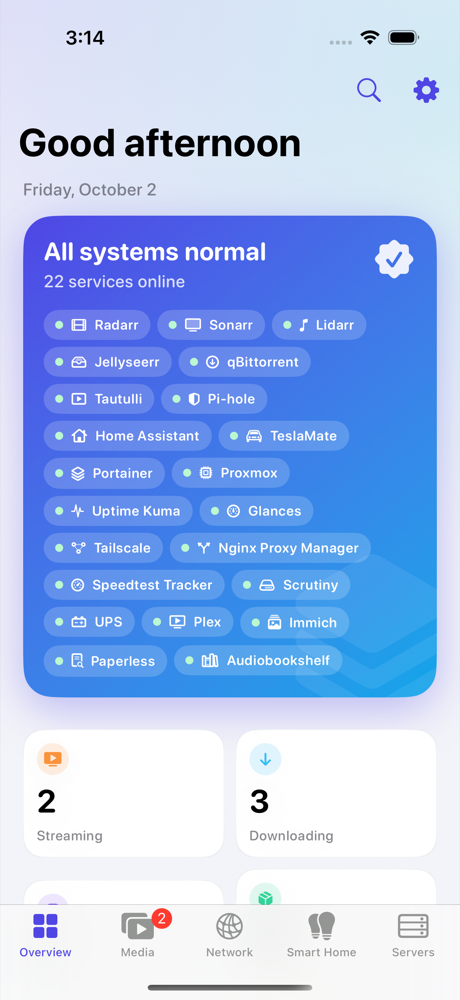
It connects directly to Sonarr, Radarr, Plex, Jellyfin, Home Assistant, Pi-hole, Komodo, Proxmox and about forty others, and shows what's going on across all of them. There's no account, and your homelab's data never passes through a server of ours.
Free, with no in-app purchases. There's a built-in demo if you'd like to look around before connecting anything.
What it does
Media
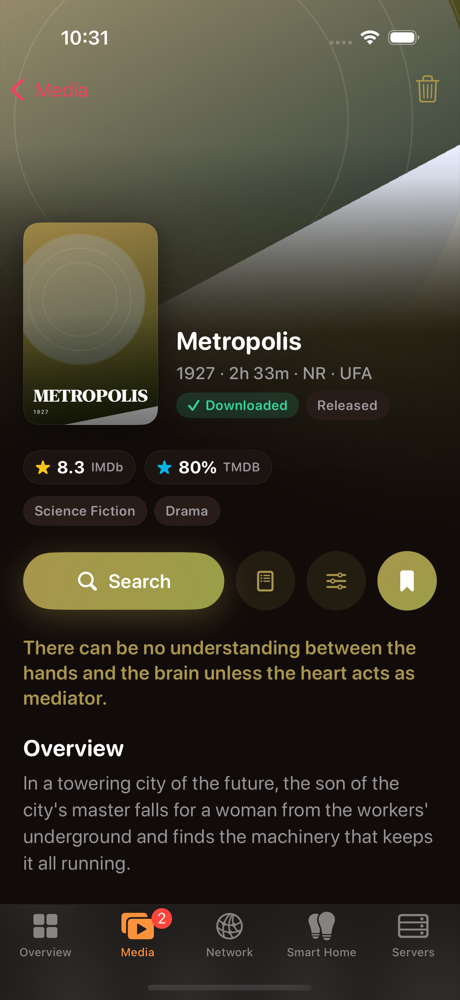
- Browse Radarr, Sonarr and Lidarr libraries; search, pick releases by hand, change quality profiles
- Approve or decline Overseerr and Jellyseerr requests, including from the notification
- Download progress straight from qBittorrent, Transmission, Deluge, SABnzbd or NZBGet
- Who's watching what on Plex or Jellyfin, through Tautulli
Servers
- Start, stop and restart containers; read their logs
- Update Compose stacks in Komodo or Portainer
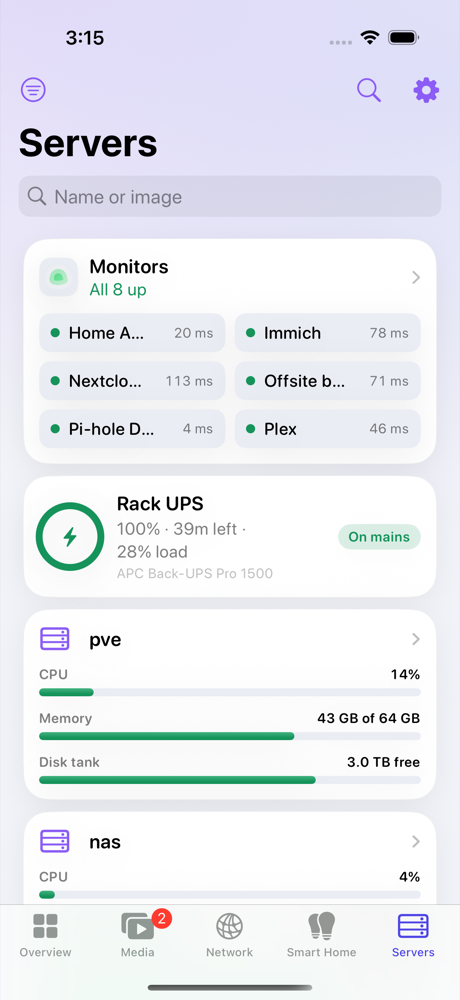
- CPU, memory and disks from Komodo, Glances, Beszel, Proxmox, TrueNAS, Synology or Unraid
- Uptime Kuma monitors, Scrutiny disk health and your UPS
Network
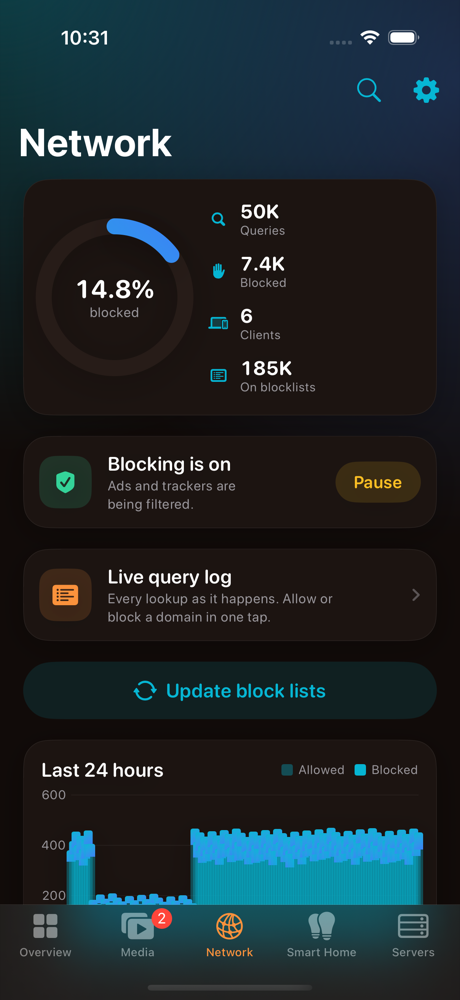
- Pause Pi-hole or AdGuard Home for five minutes when a site breaks
- The live query log, with allow and block
- Tailscale devices, Nginx Proxy Manager certificates, Speedtest Tracker results
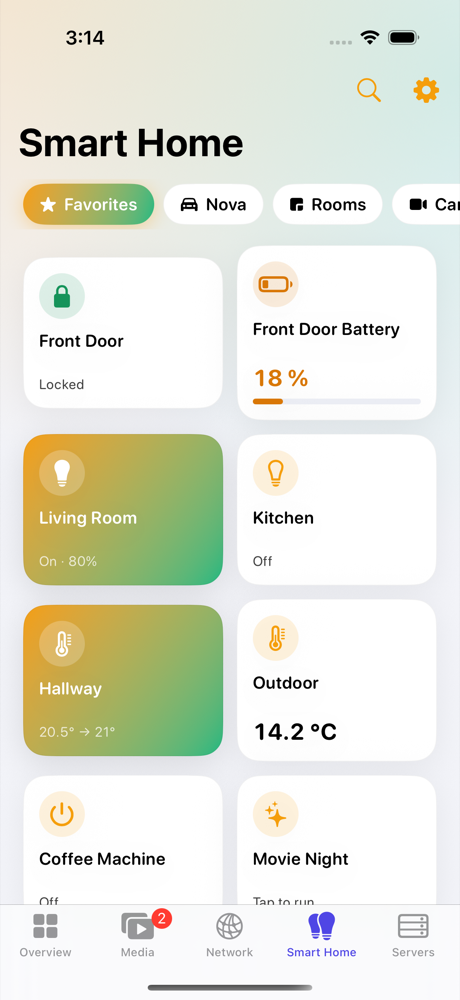
Smart home
- Lights, switches, climate, locks and cameras from Home Assistant and Homebridge
- Frigate detections
- The car from TeslaMate: live navigation, battery health, charging curves, every door and tyre, Sentry, Dog and Camp mode, trips and updates, with alerts and widgets
Household
- Invite the people you live with through iCloud
- Choose what each person gets: lights, the car, requesting films, particular Plex libraries
- They get a simple version of the app without the admin side
Around the phone
- Home Screen and Lock Screen widgets, Live Activities, Control Center
- Apple Watch app and complications
- iPad, in portrait or landscape, with cards in columns
- Siri and Shortcuts, Spotlight, and a share sheet for adding films
Alerts that know what you did
If a container stops on its own, Labnest tells you, with a Start button right on the notification. If you stopped it yourself, it stays quiet. Services going down, disks filling up, a UPS on battery and finished downloads work the same way, and anything can be muted until it's fixed.
Try it: tap a container below to stop it.
Supported services
Most of these were built from each service's API documentation; the ones marked tested have also been run against real servers. If you run one of the others, your reports help the most.
| Service | Used for | Status |
|---|
Privacy
Labnest has no account and no analytics, and there's no Labnest server. It talks to your services at the addresses you give it, at home or over Tailscale. Keys and passwords are kept in the iPhone's Keychain, on that device only.
The only other places it connects to:
- jsDelivr, for app icons by name (can be turned off)
- plex.tv, only if you use Sign in with Plex
- TMDB images, for posters from Overseerr
- Your own iCloud, only if you share with your household, encrypted so Apple can't read it
- Tailscale's API, only if you add Tailscale, for your device list
- Labnest's push relay, only if you turn on Instant alerts; it can't read them
Changelog
- 1 Nov 2026 · 1.0Ready for the App Store. iPad, landscape and the iPhone Duo: cards sit in columns and tiles fill the width on bigger screens. The demo gains music requests. DroppedNeedle's section is now called Music requests, so it never clashes with a Lidarr library.
- 29 Oct 2026 · build 42DroppedNeedle: a Music section to search for albums and request them, approval of music requests, and download progress.
- 27 Oct 2026 · build 40A Hyundai or Kia no longer disappears when Bluelink is slow, and Labnest tells you when Home Assistant needs you to sign in to Bluelink again. A car widget never shows a different car.
- 25 Oct 2026 · build 39A Custom widget in every size that shows whatever you pick: services, servers, containers, Smart Home favorites, cars, apps or totals. Car widgets can be set to any of your cars.
- 24 Oct 2026 · build 36Hyundai and Kia cars, through Home Assistant's Bluelink integration: the same car page, widgets and alerts as a Tesla, with lock, climate and charging controls.
- 24 Oct 2026 · build 35Calmer alerts: a service has to be down for a minute before you hear about it, a dropped phone connection never counts, and several outages at once are one notification. Docs no longer lists old stacks as new.
- 17 Oct 2026 · build 34Machines: Labnest groups your services by the computer they run on. Change a machine's home or away address once and every service on it follows, tested straight away, with Undo. If Tailscale sees a machine at a new IP, Overview offers to fix it in one tap.
- 16 Oct 2026 · build 33A server that switches off now says so: an Offline card on Servers, "Mac is offline" on Overview, and an alert when it goes and when it's back. Overview no longer reads "1 service online" after a refresh is interrupted.
- 15 Oct 2026 · build 32The car, complete: navigation, every door, tyre warnings, Sentry, frunk and trunk, Dog and Camp mode, car alerts (tyres, updates, left unlocked, low battery) and a car widget in every size.
- 15 Oct 2026 · build 31Instant alerts preview: a small container on your server pushes the moment a container crashes or someone requests something, sealed so the relay can't read it. They show in Activity too.
- 15 Oct 2026 · build 29Your own photo of the car, lifted out of its background on the iPhone. Network, Servers and the car page can be arranged like Overview.
- 14 Oct 2026 · build 28The car page is a dark garage, plus battery health, software history, the last 24 hours, efficiency by temperature and charging curves.
- 12 Oct 2026 · build 27When Sonarr imports only part of a box set, the queue says which files it left and why.
- 12 Oct 2026 · build 26Names with a + in them (like "S01-S03 + Extras") reach your services intact.
- 12 Oct 2026 · build 25Box set imports point Sonarr at the download, not at the series' folder.
- 12 Oct 2026 · build 24Box sets have their own card in the queue: progress, then Import now, and what Sonarr said if it didn't import.
- 12 Oct 2026 · build 23Box sets are kept out of Sonarr's sight until they finish, then copied in, so Sonarr can no longer import part of one and delete the rest.
- 11 Oct 2026 · build 22Box sets named like "S01 to S04" are recognised as box sets, not as their first season.
- 11 Oct 2026 · build 21Box sets: a magnet with several seasons downloads through qBittorrent, and Sonarr imports every episode when it's done.
- 11 Oct 2026 · build 20Found a magnet link yourself? Send it through Radarr or Sonarr from the title's page, so it's imported and renamed like their own downloads.
- 8 Oct 2026 · build 19Unused in-app purchase code removed. Labnest is free during the beta.
- 7 Oct 2026 · build 18Downloads show their speed and time left, and the queue starts with your total download and upload speed.
- 7 Oct 2026 · build 17Every section you pin stays in the Media and Smart Home bars; when they don't all fit, the bar scrolls.
- 7 Oct 2026 · build 16Adding a service that's already there says so, instead of saving it twice.
- 6 Oct 2026 · build 15Nextcloud's connection test says what's actually wrong: an address it doesn't trust, the Monitoring app turned off, or a non-admin account.
- 6 Oct 2026 · build 14Tailscale machines show by name, open to their addresses, routes and the services running on them, and can fill in a service's address when you add it.
- 6 Oct 2026 · build 13qBittorrent sign-in: says exactly why it was refused (wrong password, blocked after failed tries, or its host check), and works with qBittorrent 5's cookie.
- 6 Oct 2026 · build 12The Network chart starts where your filter's data does, and allowed queries are easier to see.
- 6 Oct 2026 · build 11Settings links to help and the privacy policy, and shows the version for bug reports.
- 6 Oct 2026 · build 10Feedback from the app goes to [email protected].
- 6 Oct 2026 · build 9Rescan a title's folder after copying a file in by hand, so it stops showing as missing.
- 5 Oct 2026 · build 8Household: choose which Plex or Jellyfin libraries each person sees, and let them sign in with their own account.
- 5 Oct 2026 · build 7Requests only say Downloading when Radarr or Sonarr actually has them in the queue.
- 5 Oct 2026 · build 6Torrents you add yourself show on Overview and in the queue, with their progress.
- 5 Oct 2026 · build 5Find services also checks the machines you already use, over Tailscale, not only your Wi-Fi.
- 5 Oct 2026 · build 4Change quality profiles, live download progress from the client, rearrange Overview by dragging.
- 3 Oct 2026 · build 1First TestFlight build.
About
Labnest is made by Mayank Gulaty, a data engineer in Ireland, and grew out of running a homelab of his own: an Umbrel box and a Mac mini managed with Komodo, the usual Sonarr, Radarr and Overseerr setup, Plex and Jellyfin, Homebridge and a car on TeslaMate. It's used every day at home, including by people who'd rather not know what a container is.
Questions, bugs or a service that doesn't behave: [email protected].